
| Version 17 (modified by , 10 years ago) (diff) |
|---|
CortUI
What is CortUI?
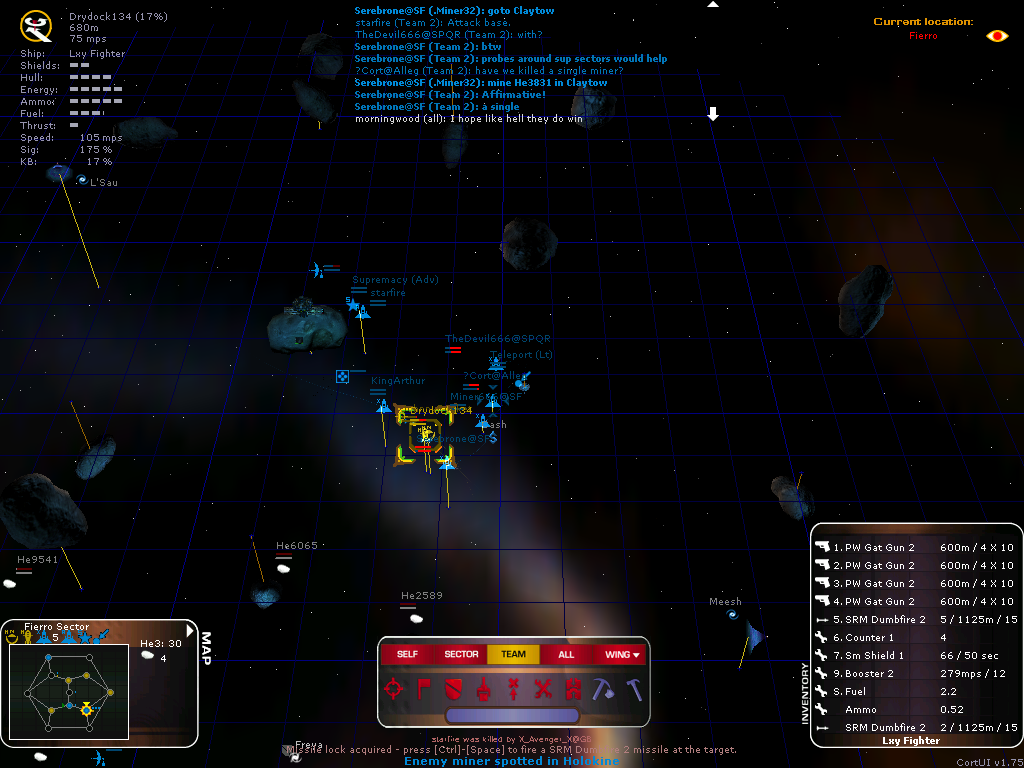
It is two things, actually. It started out as a modification of the heads-up display (HUD) for the game Allegiance. Over time, this was extended to some more modifications, e.g. for the game lobby, the in-game map and the menus. Other players contributed more HUDs later on, and therefore CortUI now usually refers to the installer package and the non-HUD modifications. To reflect this change, the original HUD modification was renamed to 'CortUI classic'.
 Download latest version
More information
Features lists all the changes CortUI applies to your Allegiance game experience.
Screenshots shows you what CortUI and all the HUDs look like.
Download and installation tells you how to download and install CortUI.
Internals documents how CortUI does what it does and Development tells you how you can help (contributing testing, advice, opinions, or even new HUDs and functionality).
Contributors
Based on Ksero's HUD modification, making use of his excellent documentation of the .mdl files.
Original logo design by Newtype, logo modifications by Sp4wn, favicon by Loriana.
HUDsmiths: Parcival, Raveen, FlingPu and Bunnywabbit.
Special thanks to all testers who have reported bugs.
How to use Trac
- TracGuide -- Built-in Documentation
- The Trac project -- Trac Open Source Project
- Trac FAQ -- Frequently Asked Questions
- TracSupport -- Trac Support
