
GlassHUD
« back to the list of HUD features
« back to the list of HUD screenshots
HUD Overview
Part of CortUI since: 1.80 (mm/dd/yy)
Creator: Bunnywabbit
Maintainer: Bunnywabbit
Recommended screen resolution: 1280x1024 or higher.
Concept / Description
GlassHUD aims to:
- provide maximum visibility of both HUD elements and gameworld objects, by using large, transparent HUD elements and eliminating redundant backgrounds to text and panes,
- enhance player immersion in the game by creating intuitive designs for - notably - the shield, hull and eye-indicator, and by emphasizing the team color in the design,
- add useful features to the HUD, like the Time to Intercept (TTI) counter and the 'low energy' indicator.
Bunnywabbit maintains a developer's blog on FAO.
Known issues / Features being worked on
Open tickets:
Screenshot(s)
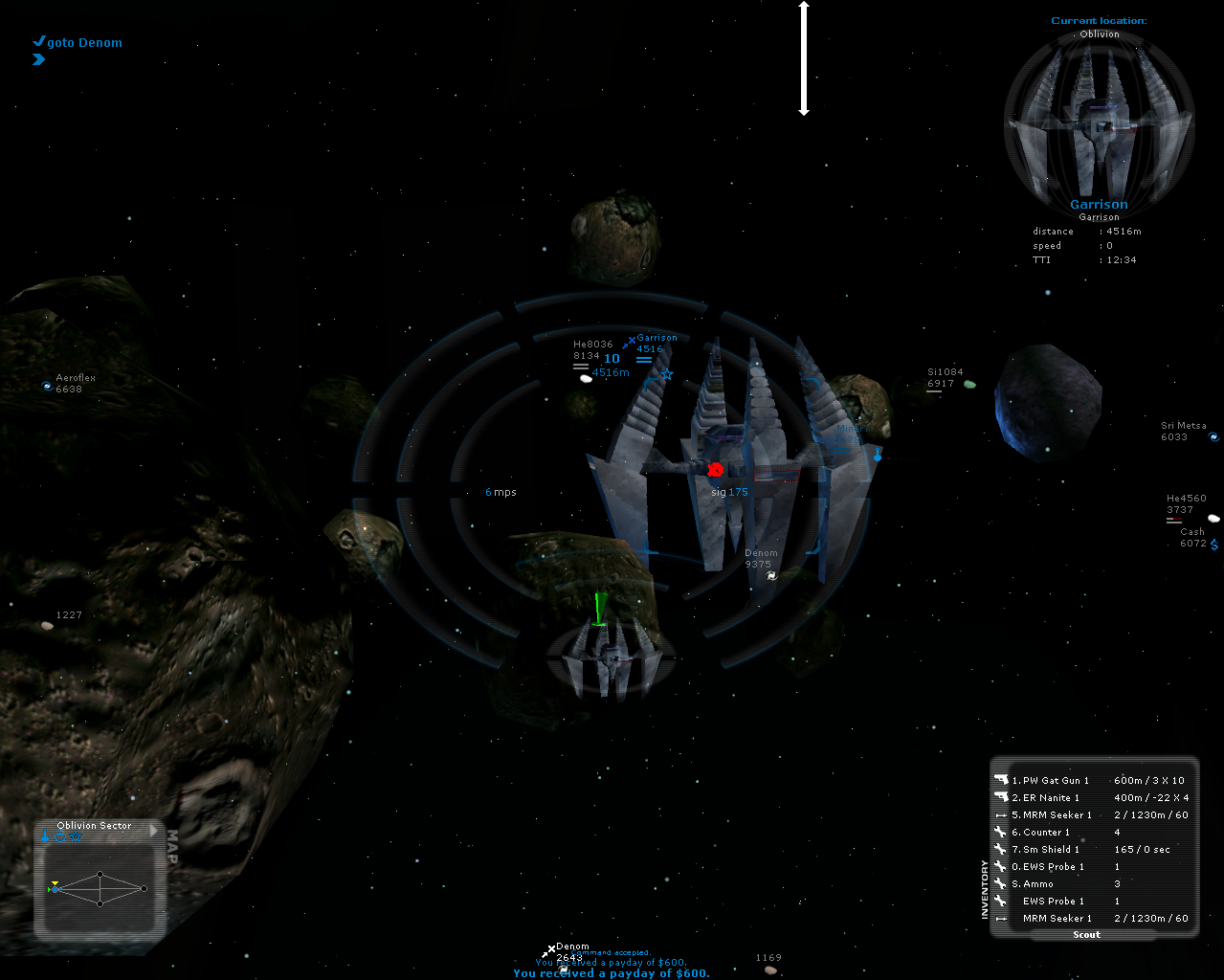
Blue team, uneyed with target. The outer ring represents you Shield. The inner ring represents your hull. The left 'parenthesis' in the center is your Ammunition gauge, the right your energy gauge. Below the center is, from the top down, the throttle and the fuel gauge. Below that is the small target section with the target view and it's shield and hull gauges. Top is shield, bottom is hull. Both deplete from the top down.
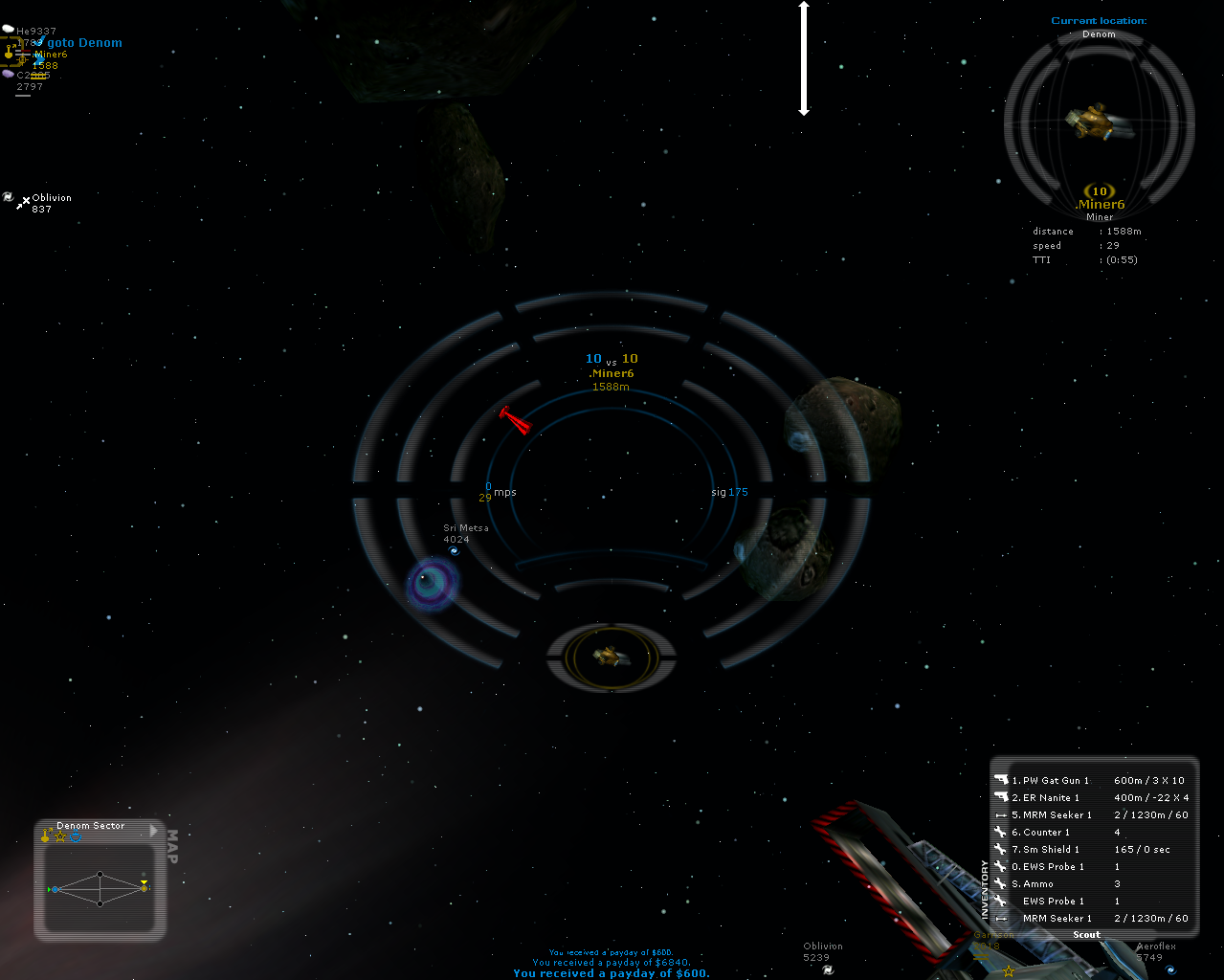
Blue team, eyed with yellow target.
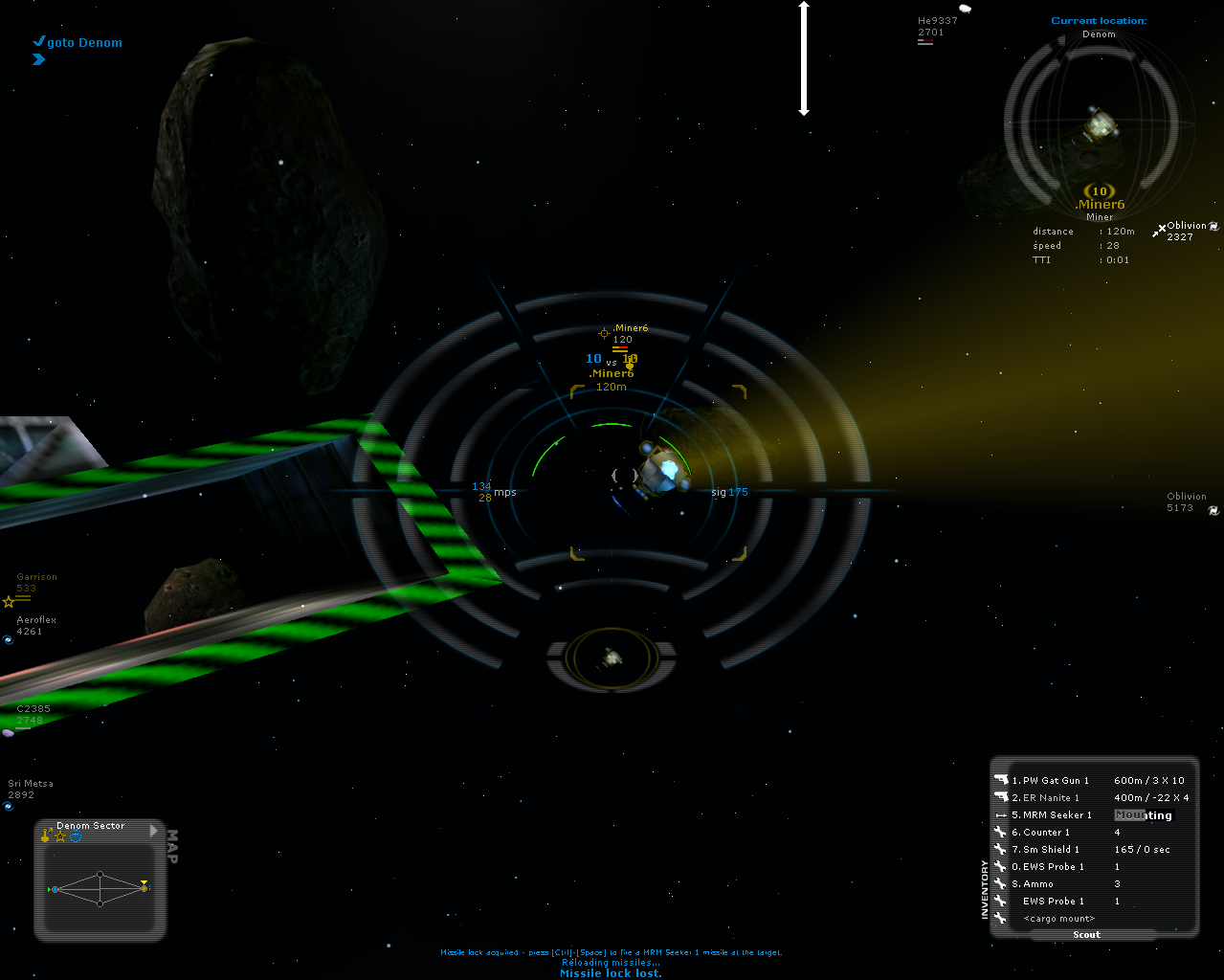
Blue team, eyed with yellow target with damaged shield and intact hull.
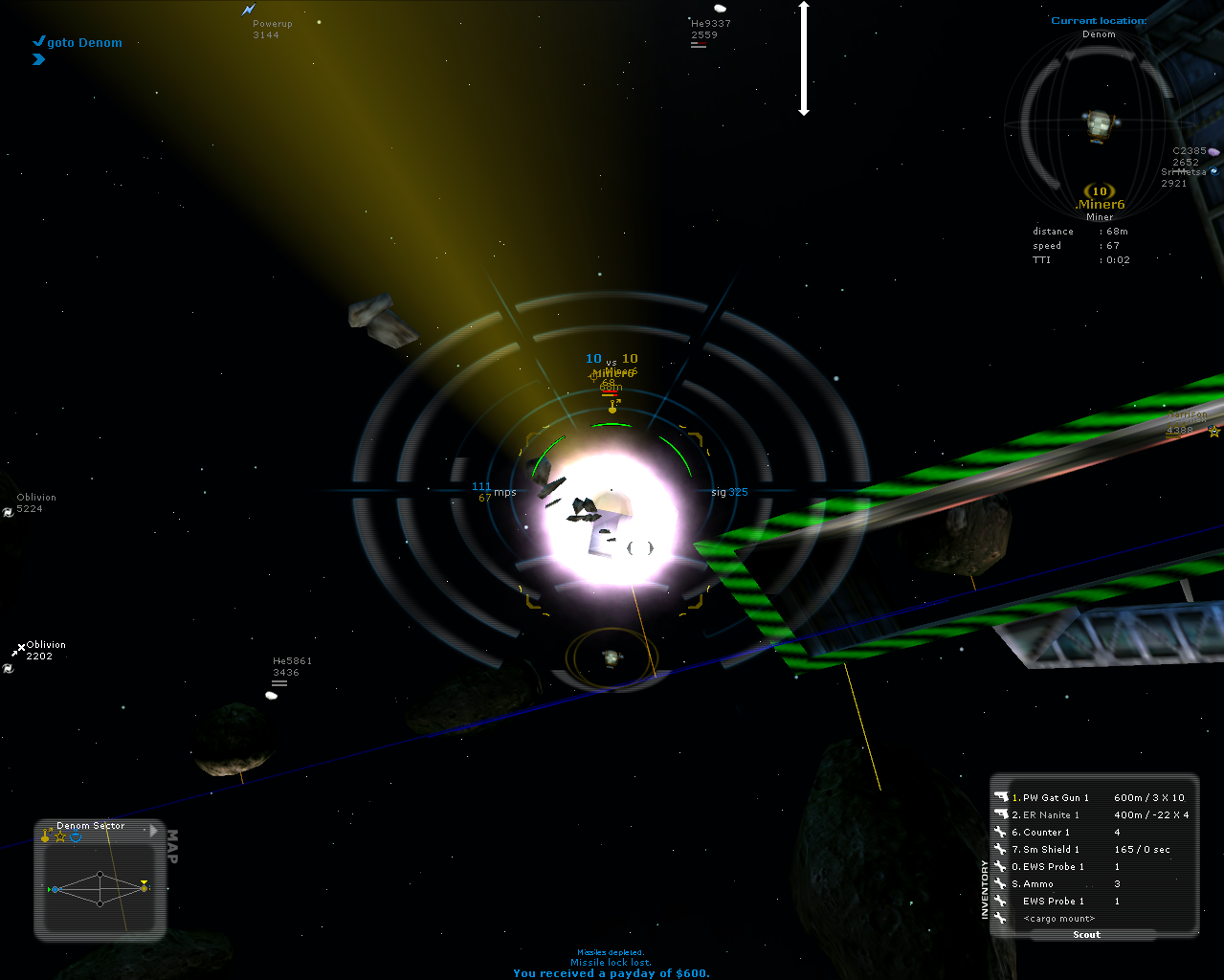
Blue team, eyed with yellow target with depleted shield and damaged hull.
